Short answer: yes, you can use ChatGPT for visual supports. If you need a single picture of something no library has, it often works well. It gets harder when the same visual schedule is used for weeks: the same symbol next time, one step that needs changing, a paper to print and share with the school.
This guide covers how to make visual supports with ChatGPT, with prompts you can copy, where it works, where it falls short, and when a tool built for visual supports fits better.
Can you make visual supports with ChatGPT?
Yes. ChatGPT creates images from what you write, and you can upload an image and describe what should change (OpenAI, 2026a). Ask for a visual schedule for the morning and you get a picture of a visual schedule. The images are saved in ChatGPT, so you can find them again.
What ChatGPT does not have is a symbol library. Every picture is drawn anew from the prompt. That is its strength when you need something that exists nowhere else, and its weakness when the child should recognise the same picture tomorrow.
How to make a visual schedule with ChatGPT, step by step
- Decide the steps yourself first. Write down the routine in the order it actually happens in your home. You know what the child needs. The AI guesses.
- Describe the style once and keep the description. Paste exactly the same style description every time you ask for a new picture. The pictures become more alike, but never guaranteed identical.
- Ask for few steps per picture. The more steps in one picture, the more places something can go wrong.
- Ask for pictures without text. Text in generated images can come out misspelled. Write the text yourself under the picture, or read it carefully before printing.
- Keep what worked. Download the pictures that turned out well and reuse them, instead of asking for new ones each time.
Example prompts for visual supports
Three prompts to start from. Swap the steps for your own everyday life.
A visual schedule for a routine:
Make a visual schedule for a morning routine for a child in early primary school. Six boxes in two rows, in this order: wake up, brush teeth, get dressed, eat breakfast, pack the bag, go to school. Flat, clear style, soft colours, dark outline, white background, one thing per box. No text in the image.
A single symbol in the same style:
Draw one single symbol: a blue water bottle. Same style as before: flat, soft colours, dark outline, white background. No text and no surroundings.
A change to a picture you already have:
Replace only the box “pack the bag” with “put on your jacket”. Keep everything else exactly as it is.
Look closely at the result after a change. OpenAI itself writes that an edit may extend beyond the area you selected (OpenAI, 2026a).
Where ChatGPT works well
- A picture of something no library has. An unusual pet, a particular toy, a situation you only meet once.
- One-off pictures. Something for a party, a trip or an invitation that will not be used again.
- Help with the text. Suggestions for how a routine can be broken into smaller steps, which you then choose from.
- Full control over the look. When you want to decide exactly how a picture looks, down to the smallest detail.
Where ChatGPT falls short for visual supports
The same symbol next time
The toothbrush you got yesterday is not there as a symbol you can fetch today. You get a new toothbrush, drawn anew. A schedule with ten steps can end up with ten different looks. For visual supports meant to last, that matters, because part of the point is that the child learns to recognise the pictures. SPSM, the Swedish National Agency for Special Needs Education and Schools, describes how pictures stay, unlike speech, which disappears, and advises keeping the support even when it looks as if the child is not using it (SPSM, 2026).
Changes
To change a step, you describe the change and get a new picture. More than what you asked for may have changed. There is no text to click and retype, and no step to drag to a new place.
Printing and layout
What you get is a picture. You can choose its aspect ratio (OpenAI, 2026a), but how it fits on A4, how big the boxes are and where the text goes is up to you, often by pasting the pictures into Word or another program.
Sharing and showing it on a screen
You send the image file on. If you change something, you send a new file, and everyone has to switch to it. There is no link that always shows the latest version.
What you type in
Do not write the child’s name, diagnosis or other personal details in the prompt, and do not upload photos of the child. In ChatGPT for individuals, OpenAI may use what you write to train its models unless you turn off “Improve the model for everyone” under Settings > Data controls. Temporary chats are not used for training (OpenAI, 2026b). Describe the situation instead: “a child in early primary school” is enough.
When a tool built for visual supports fits better
When the visual support is used day after day, changed tomorrow and needed both on the fridge and at school, a tool built for visual supports is usually easier to keep together. That is what we build Áigi Plan for.
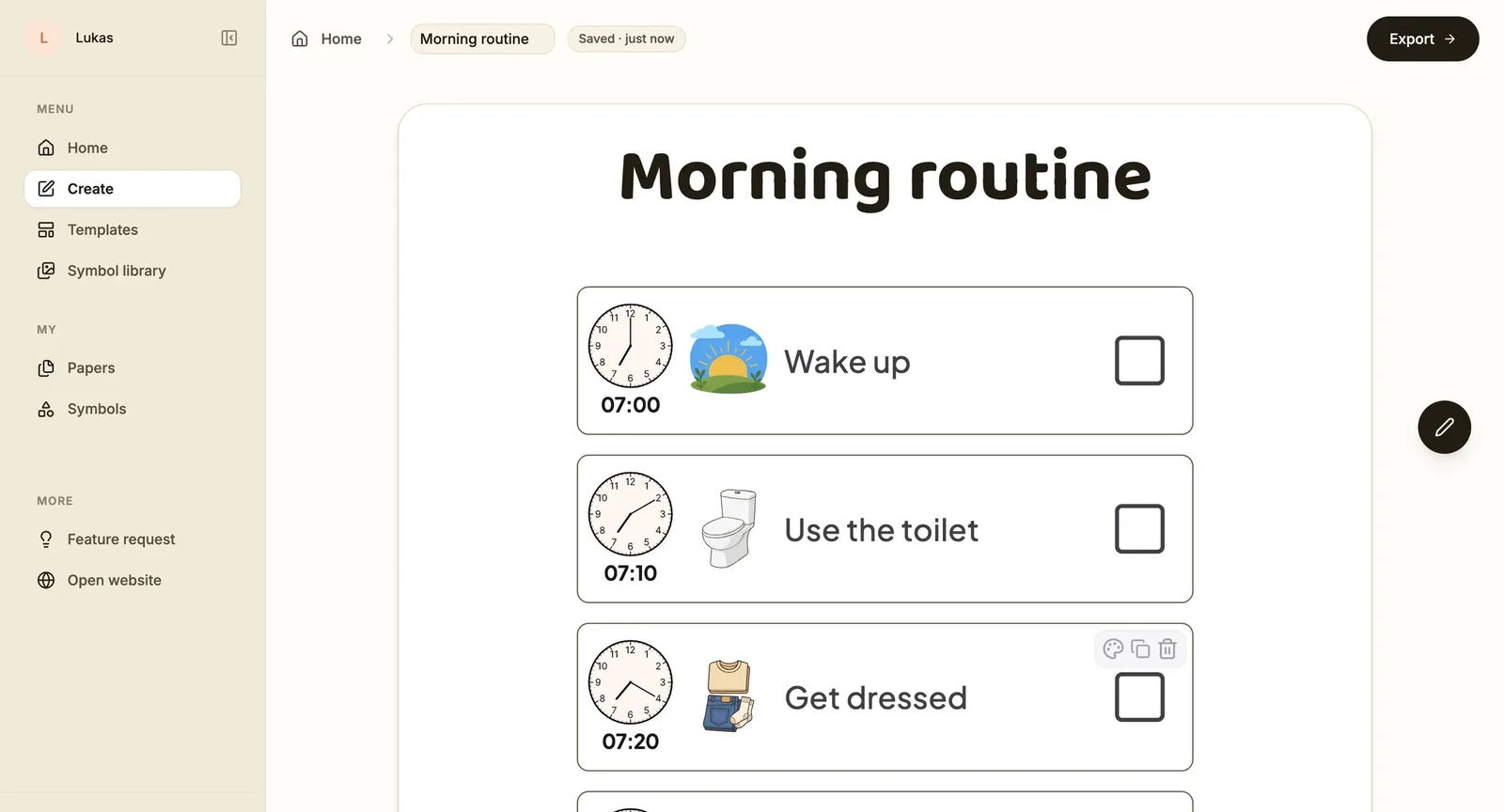
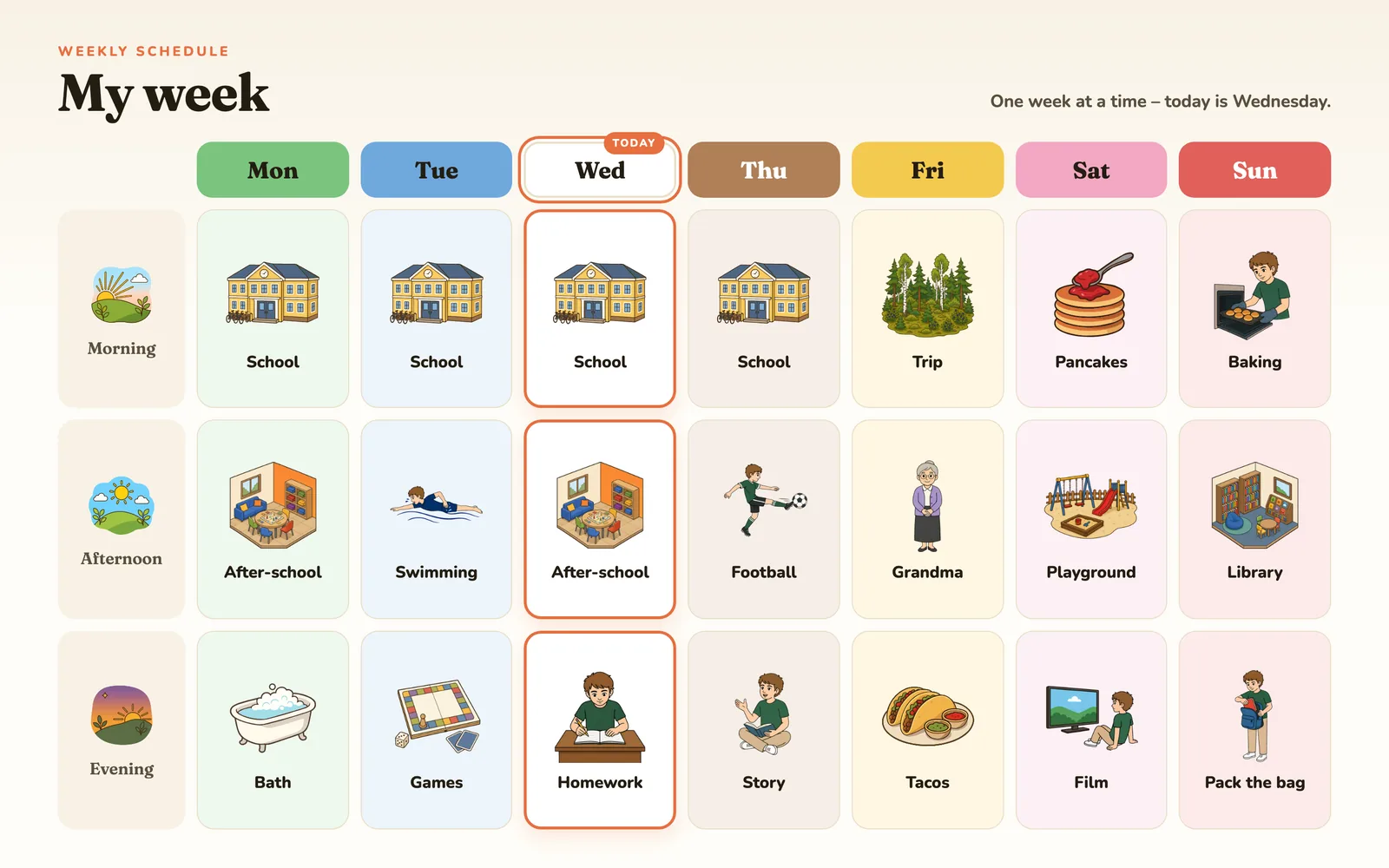
In Áigi you describe what you need, for example a morning routine in six steps, and the AI builds a paper from symbols in the library. Or you pick a template and use it as it is, or let the AI fill it in for your everyday life. The library has thousands of symbols in one style, and the same word gives the same symbol every time. Many symbols come with nine main characters, so you choose who the child in the picture is.
Then you change what is not right. Click a text and retype it, swap a symbol by searching, browsing or picking one of your own, add times and drag a step to a new place. With Change with AI you ask for the rest, and what you don’t like, you undo. With Create matching you make the next paper in the same style. What is missing, you photograph: use the photo as it is, or turn it into a symbol in the same style with Photo to symbol.
You save the paper as a PDF or an image and print it. With Screen, you put the visual support on the child’s tablet as a link that stays, where you change what it shows and when. And the other adults get a link to the paper.
The two do not exclude each other. A picture you made in ChatGPT can be uploaded to Áigi and used next to the library’s symbols. Want the differences point by point? Read our comparison of Áigi and ChatGPT for visual supports.
How to choose
Use ChatGPT when you need a single picture, a text or a suggestion for how to break down a routine. Use a tool built for visual supports when the child will meet the same visual schedule day after day and you want to change it without starting over. New to visual supports? Start with what visual supports are and how they work in practice, or read more about visual supports with AI.
Common questions
Can you make visual supports with ChatGPT for free?
According to OpenAI, image creation is available on every ChatGPT tier, including the free one (OpenAI, 2026a). The limits for your tier are listed by OpenAI.
How do I get ChatGPT to draw in the same style every time?
Use exactly the same style description in every prompt, ask for one symbol at a time, and upload an earlier picture as a reference. That makes the pictures more alike, but each one is still drawn anew.
Can I use pictures from ChatGPT in Áigi?
Yes. Upload them as your own images and put them in the cards next to the library’s symbols. You can also turn a picture into a symbol in the library’s style with Photo to symbol.
Is it okay to type my child’s name into ChatGPT?
Better not. Describe the situation without a name, diagnosis or photos of the child. Also check the model training setting under Data controls.
Sources
- OpenAI (2026a). Images in ChatGPT. OpenAI Help Center. Read 2026-09-29. help.openai.com
- OpenAI (2026b). How your data is used to improve model performance. OpenAI Help Center. Read 2026-09-29. help.openai.com
- SPSM (2026). Visuellt stöd i förskolan (Studiepaket NPF, Tydliggörande pedagogik i förskolan; in Swedish). Published 2026-02-17. spsm.se