Home
Making a sandwich visual recipe
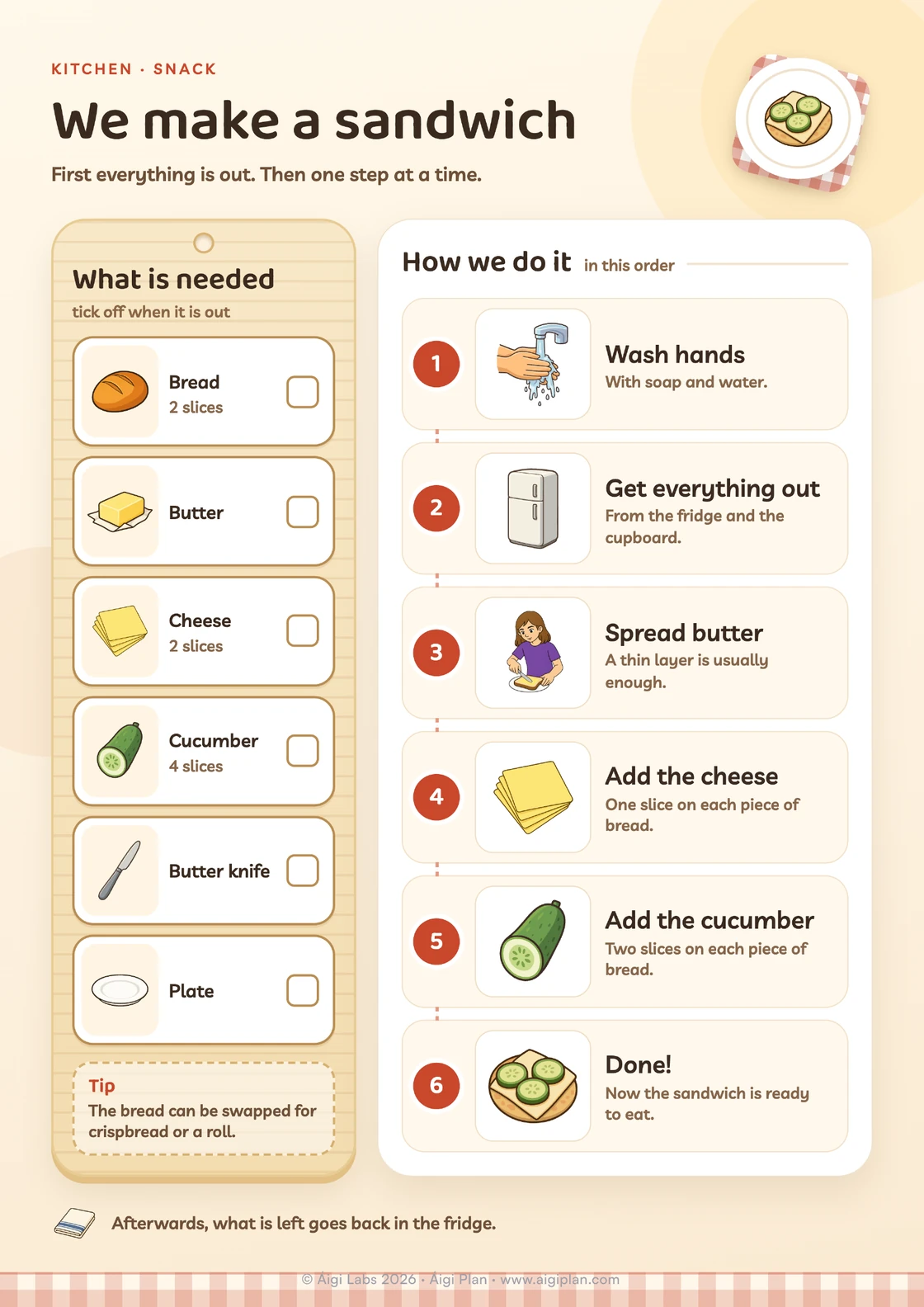
What is needed, to tick off, and the steps for making a sandwich, one at a time. Print it as a free PDF or edit it in Áigi Plan.
What’s included
- What is needed: bread, butter, cheese, cucumber, butter knife, plate
- How we do it: wash hands, get everything out, spread butter, add the cheese, add the cucumber, done
The sandwich visual recipe is a portrait A4 in two parts: what is needed, with amounts and a box to tick, and six numbered steps. A tip about other bread is included too. In Áigi Plan the template is called Making a sandwich.
When the template fits
A sandwich is a good first recipe: few things, no hob and a clear end. The visual recipe first shows what to get out, such as two slices of bread and four slices of cucumber, and then one step at a time until the sandwich is ready. The template fits as a snack after school, for someone who wants to do more on their own in the kitchen and for practising following an order. Pictures can make instructions easier to follow than words; more on that in our guide to visual supports.
Make the template your own
Swap the filling for what you have at home, such as ham or tomato, and change the amounts. You swap symbols for others from the library or for photos of your own bread and fillings. Print on A4 or save as a PDF.
How to use it
- Lay the recipe on the worktop or put it up at eye level.
- Get the things out and tick them off one at a time.
- Go through the steps and point to the one being done now.
- Put what is left back in the fridge when the sandwich is ready.
Tips
- Butter that has been out for a while is easier to spread.
- A photo of the finished sandwich can show how it should turn out.
- The bread can be swapped for crispbread or a roll, as the tip on the paper says.
A longer recipe is the chocolate cake visual recipe. See also the snack choice board and all templates.